Devices list
The Devices list shows every Device under the current workspace, one card per Device with live stats. Open it from the dashboard by clicking Manage devices on the Devices card.
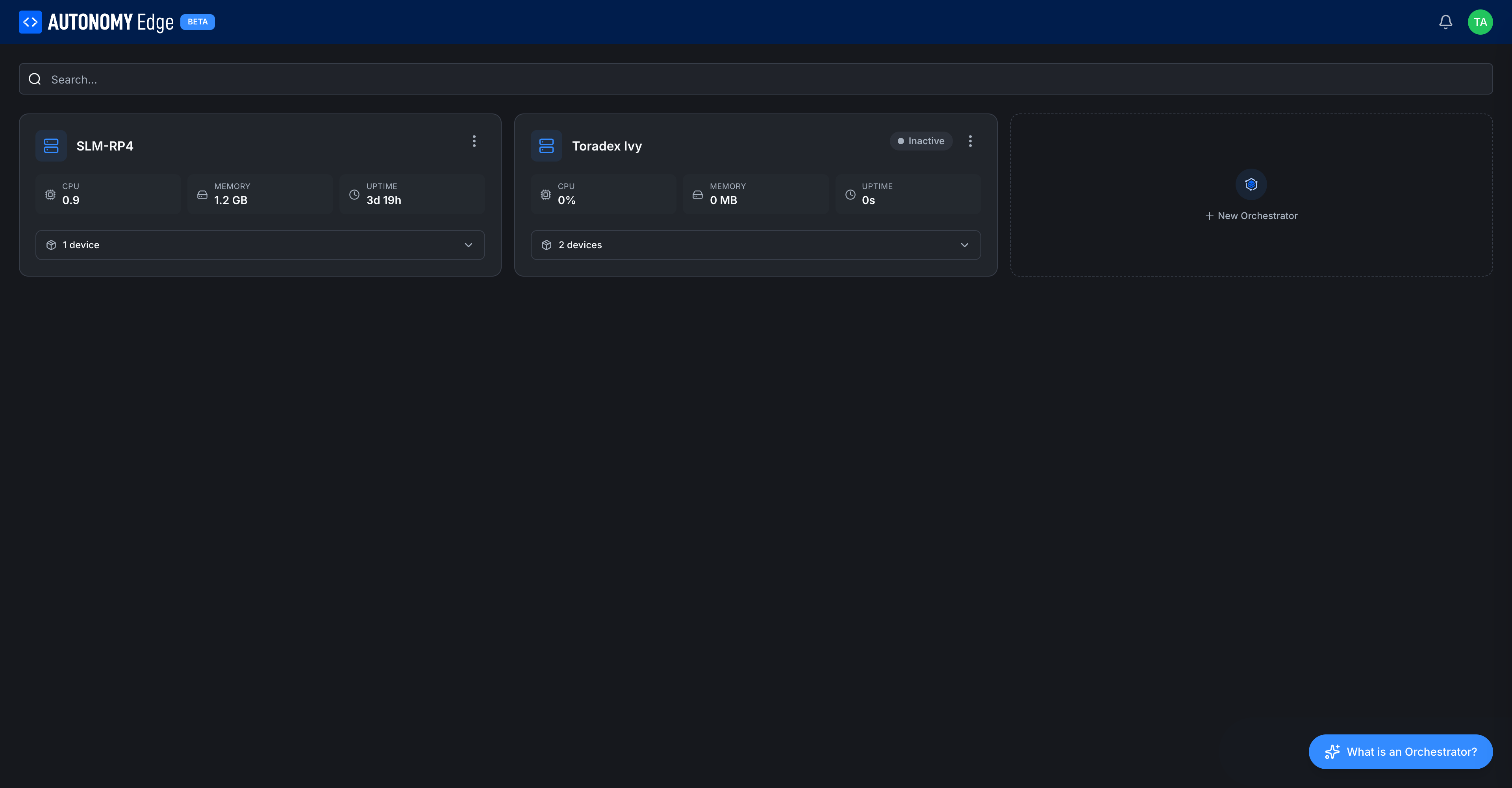
Toolbar
- Search…: filters cards by Device name as you type.
- What is a Device? floating button (bottom right): opens a short explainer modal. Same content as the overview page.
Device card
Each card shows:
| Element | Description |
|---|---|
| Icon (left) | A rack icon, always blue. |
| Name | The name you gave when you created it. |
| Status badge | Inactive (gray dot), Active (green dot, sometimes called Connected). |
| 3-dot menu | Per-Device actions: rename, regenerate registration ID, delete. See Managing devices. |
| CPU | Live CPU usage on the device, in cores (load average) or percent. |
| MEMORY | Live memory usage. Displayed in MB or GB depending on size. |
| UPTIME | How long the agent has been running. Resets if the agent restarts. |
| N vPLCs (expandable) | Number of vPLCs attached to this Device. Click to expand and see the list inline. |
Stats are blank or zero on an Inactive Device because the agent isn't reporting anything.
Expanding the vPLCs list
Click the N vPLCs row at the bottom of any card to expand it inline:
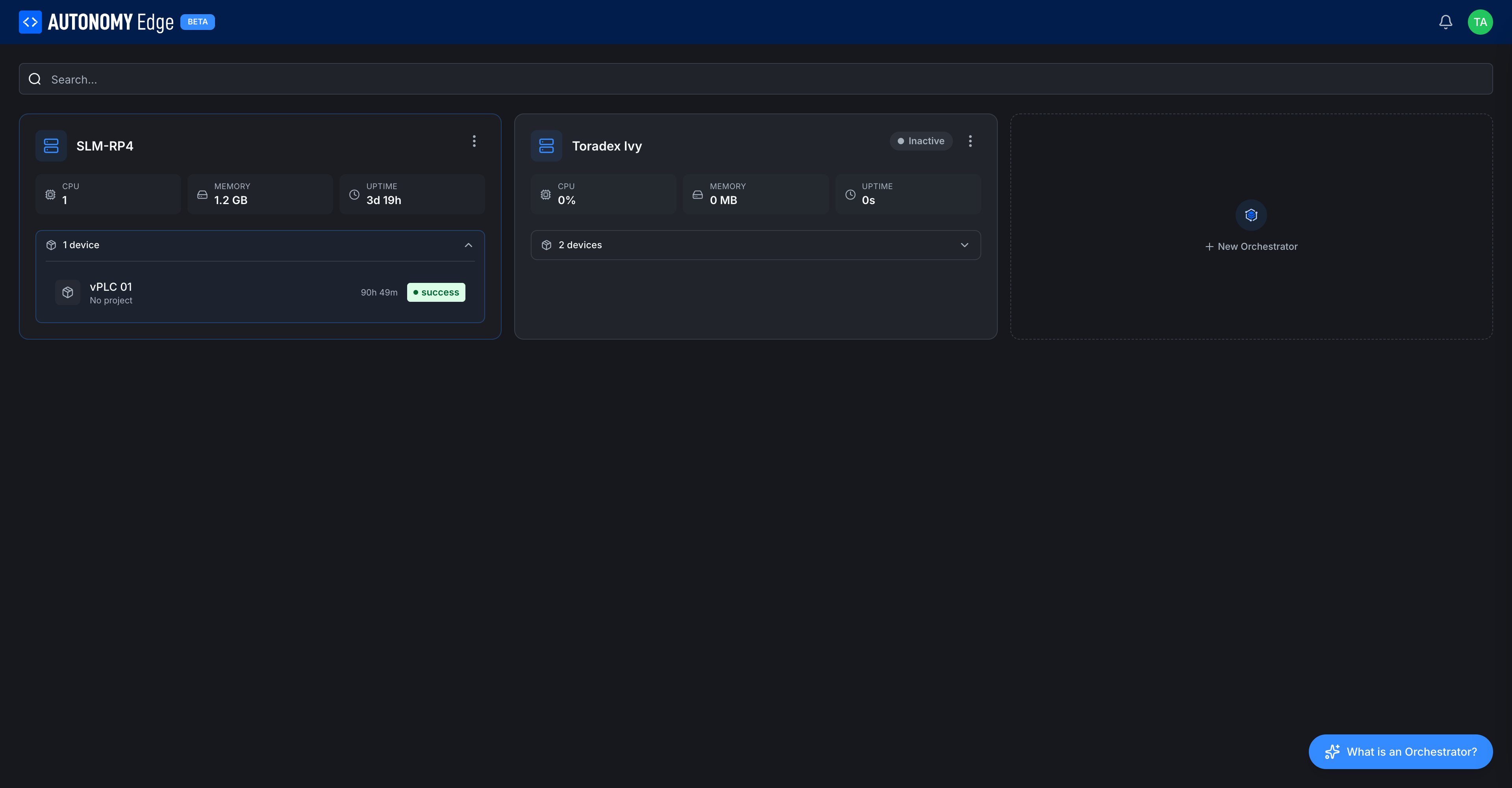
Each vPLC row shows:
- vPLC icon.
- vPLC name (e.g. vPLC 01, plc1).
- Uptime.
- Project assignment (or No project).
- Status badge.
This is a quick way to see what's running on a given vPLC without leaving the list. To see a single vPLC's details, click its row, you'll land on the vPLC detail page.
Adding more Devices
The dashed + New Device tile to the right of your existing cards opens the install wizard. The number of Devices you can have at once depends on your plan, see Plan limits.
Sorting and filtering
Cards are listed in creation order. As more Devices are added, the search bar at the top is the fastest way to find one.
Where to next
- Click into a card → Device detail.
- Add another Device → Installing the Device Agent.
- Rename or delete one → Managing devices.
- Add a vPLC → Creating a vPLC.
On This Page