Autonomy AI assistant
Every protected page has a sparkle button (✨) in the bottom-right. Click it (or press ⌘J on macOS / Ctrl+J on Windows and Linux) to open the Autonomy AI assistant, an in-app chat trained on the platform's own documentation.
What the assistant can do
The assistant is grounded on:
- These docs (every page you're reading).
- The Autonomy Edge platform itself (current screens, current state of your workspace where you've granted it permission).
- The OpenPLC v4 runtime documentation.
- IEC 61131-3 reference material.
It's designed to:
- Explain a screen. "What does the vPLCs tab on my Device do?"
- Walk you through a flow. "How do I create a private project?" "How do I invite someone to my organization?"
- Help with PLC programming. "How do I write a TON timer in Structured Text?" "What's the difference between %IX and %QX?"
- Diagnose problems. "My vPLC is stuck in Stopped. What should I check?"
What the assistant cannot do
- Take actions for you. It can tell you how to create a project, but it doesn't click the buttons.
- Access private data it shouldn't. It can see your own workspace because you authenticated; it can't see anyone else's private projects.
- Make up information confidently. If it doesn't know, it'll say so or point you to the docs to read directly. (Pay attention if it volunteers something with too much certainty, sanity-check unusual claims.)
Opening and closing
- Open: click the sparkle button, or press ⌘J / Ctrl+J.
- Close: click × in the panel header, press Esc, or press the shortcut again.
- Expand to full screen: click the corner-expand icon next to the ×.
The shortcut works from anywhere, the dashboard, a project, the editor, the forum.
The chat panel
When opened, the panel docks to the right side of the screen.
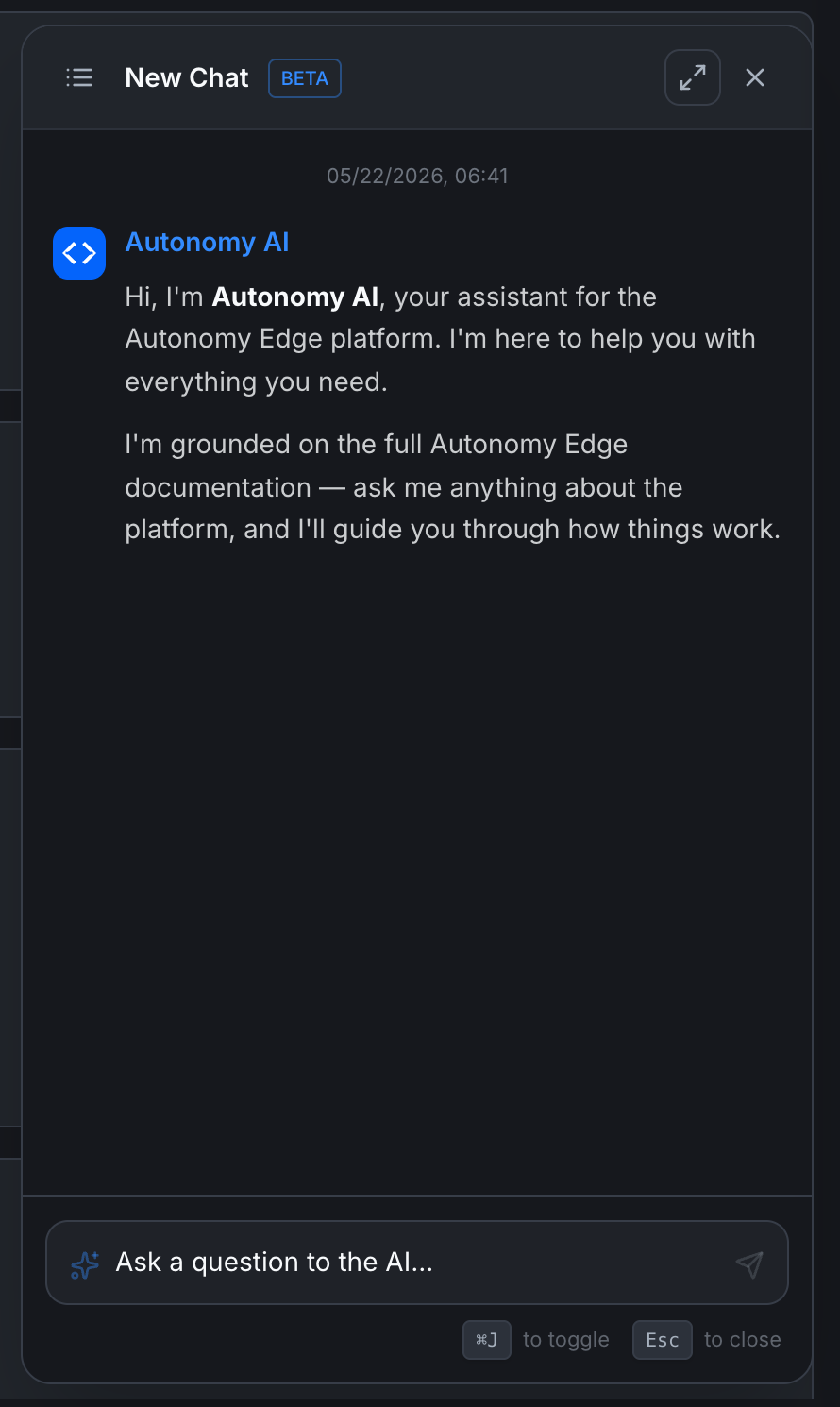
- Header: New Chat (with a BETA badge), a chat-history icon, expand, and close.
- Chat history icon: list of your prior conversations.
- Conversation area: your messages on the right, assistant responses on the left.
- Input field: Ask a question to the AI…, with a send button.
The assistant's first message in a fresh chat is a brief intro:
Hi, I'm Autonomy AI, your assistant for the Autonomy Edge platform. I'm here to help you with everything you need. I'm grounded on the full Autonomy Edge documentation, ask me anything about the platform, and I'll guide you through how things work.
The conversation persists in your chat history so you can come back later.
Cost and credits
The AI Chat assistant (this in-panel assistant) is free on every plan, including Community.
The AI Engineer features (deeper code generation, multi-step automation jobs that consume AI Credit Units) are tied to paid plans:
| Plan | AI Chat | AI Engineer |
|---|---|---|
| Community | ✓ | – |
| Education | ✓ | ✓ |
| Pro | ✓ | ✓ |
| Teams | ✓ | ✓ |
| Enterprise | ✓ | ✓ |
ACU consumption from AI Engineer jobs is tracked in Settings → Usage. The plain chat assistant does not consume ACUs.
Tips for getting good answers
- Be specific. "How do I configure a static IP on a vPLC?" beats "network help".
- Mention what you've tried. "I set the IP to 192.168.1.50 with mask 255.255.255.0 but the vPLC shows N/A in Internal IP after restart."
- Ask for short answers when you want short. "In one sentence: …" or "Just the steps, no explanation."
- Copy errors verbatim. Paste the exact error text from the editor or the platform, the assistant matches them against the docs.
Where to next
- Browse these docs directly → Index.
- Open an issue if the assistant is wrong → Feedback in the user menu.
- Track new AI features → Changelog (in-app).
On This Page