Server Configuration
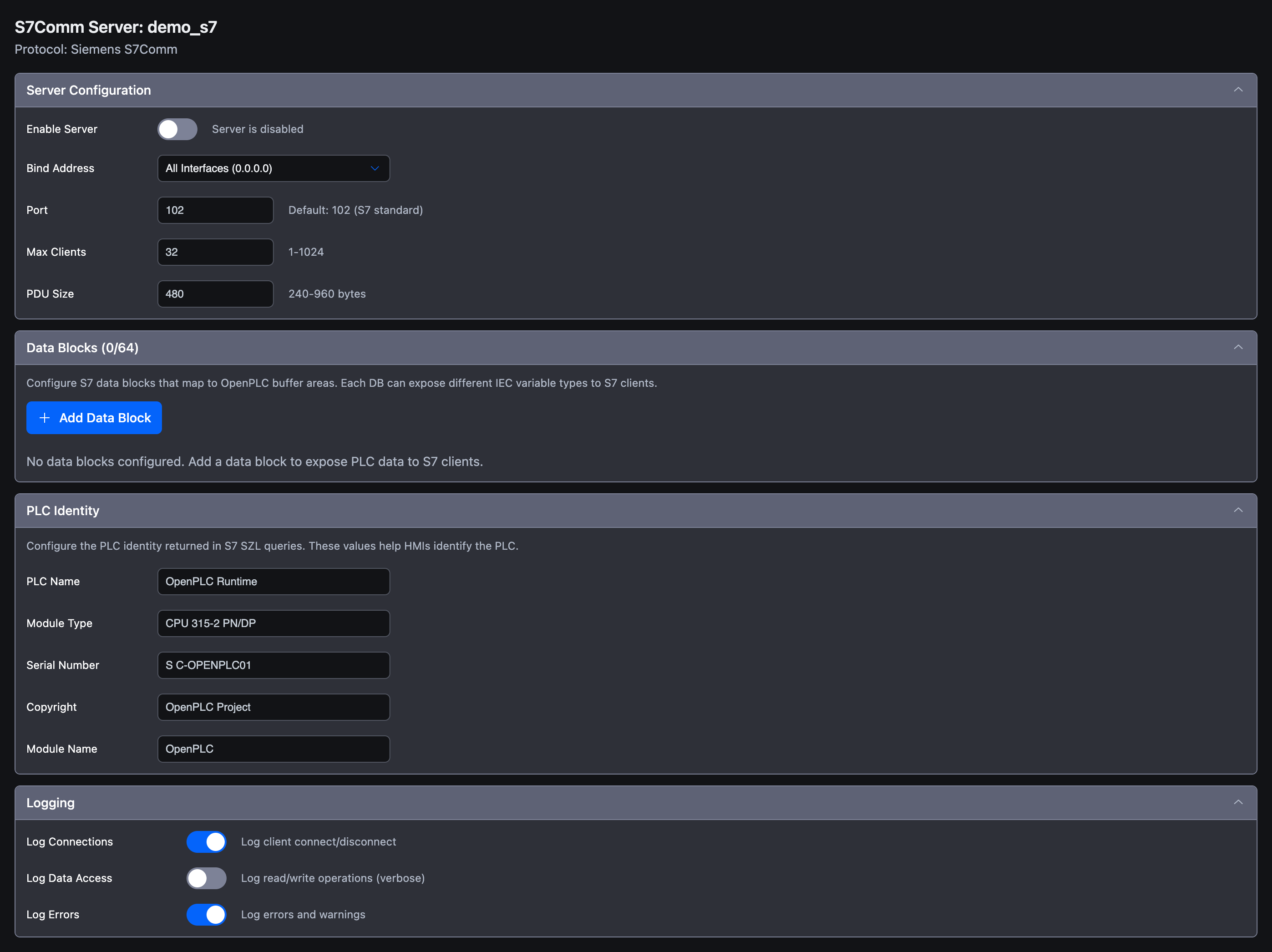
The Server Configuration section is the first accordion in the S7Comm Server panel. It controls whether the listener is enabled, which network interface it binds to, and how it negotiates with connecting clients.
Field Walk-through
| Field | Type | Default | Range | Description |
|---|---|---|---|---|
| Enable Server | Toggle | Off | -- | When on, the runtime starts the S7Comm listener at PLC startup. The toggle's helper text reads Server is disabled when off and Server will start when PLC runs when on. |
| Bind Address | Dropdown | All Interfaces (0.0.0.0) | 0.0.0.0 or 127.0.0.1 | Which network interface to listen on. Choose Localhost (127.0.0.1) to restrict access to processes on the same host. |
| Port | Number | 102 | 1 -- 65535 | TCP port for incoming S7Comm connections. The Siemens default is 102. The helper text shows Default: 102 (S7 standard). |
| Max Clients | Number | 32 | 1 -- 1024 | Maximum number of simultaneously connected S7 clients. Helper text: 1-1024. |
| PDU Size | Number | 480 | 240 -- 960 | Maximum bytes per S7 telegram advertised by the server. Helper text: 240-960 bytes. |
All fields apply on blur: values are saved as soon as the field loses focus and the editor marks the project as modified.
Enable Server
By default, a newly-created S7Comm Server entry is disabled. The plugin is part of your project regardless, but the runtime will not open the listener until you turn this toggle on and transfer the project. Turning the toggle off later stops the server at the next runtime restart but preserves all of your configuration.
Bind Address
The Bind Address dropdown offers two values:
| Value | When to Use |
|---|---|
| All Interfaces (0.0.0.0) | Default. Accept connections on every network interface available to the runtime host (Ethernet, Wi-Fi, container network, etc.). |
| Localhost (127.0.0.1) | Accept connections only from clients running on the same host as the runtime. Useful for local diagnostics or when a sidecar process is the only client. |
If you need to bind to a specific interface IP that is not in this list, you currently have to either accept the all-interfaces default and rely on host firewall rules, or restrict access at the network layer.
Port
Port 102 is the registered ISO-on-TCP port that every Siemens S7 client uses by default. Most HMIs and SCADAs hard-code this value, so it is strongly recommended to leave it unchanged.
If you must change the port:
- Pick a value the client also lets you override. Some Siemens-only clients do not support custom ports.
- On Linux, ports below 1024 are privileged. The runtime needs
CAP_NET_BIND_SERVICE(or the equivalent privilege) to bind to port 102. If you see a permission error in the runtime logs, either grant the capability or pick a port above 1024 (e.g., 1102). - Two servers cannot bind to the same port on the same interface. If another runtime, plugin, or system service already listens on 102, the S7Comm listener will fail to start.
Max Clients
Each connected S7 client consumes a slot. The default of 32 is generous for most installations. A typical site has one HMI, one engineering workstation, and possibly one historian. Raise this only if you genuinely expect more concurrent clients (e.g., a SCADA cluster with many redundancy peers). Lowering it provides a small protection against client-leak scenarios.
PDU Size
The PDU (Protocol Data Unit) size determines how many bytes of payload fit in a single S7 read or write request. Larger PDUs reduce the number of round trips needed to transfer big data blocks but require more buffer memory on both sides.
| Value | Notes |
|---|---|
| 240 | Minimum. Compatible with the oldest S7-300 CPUs. |
| 480 | Default. Safe value supported by virtually every modern S7 client. |
| 960 | Maximum. Matches S7-1500 capabilities; requires a client that can handle large frames. |
The server advertises the value you configure. At connection setup the client proposes its own preferred PDU size, and both sides agree on the smaller of the two. There is no error if the client requests less than your setting.
Connect URL Pattern
S7 clients identify the target by its host and (optionally) port; there is no scheme like s7:// defined by the protocol itself, but informal documentation often uses one. In Autonomy Edge documentation we describe the endpoint as:
codes7://<bind_address>:<port>
For example, with the defaults:
codes7://0.0.0.0:102
In practice, your client UI will ask for an IP address (the runtime host's IP, not 0.0.0.0), a port (102), a rack, and a slot. See Example for a walkthrough.
What's Next?
- Data Blocks: Define what data clients can read and write
- Troubleshooting: Resolve port conflicts and PDU mismatches
- S7Comm Server Overview: Return to the protocol overview
On This Page