vPLC stuck in Stopped
Symptoms:
- A vPLC card shows Stopped even after clicking Start.
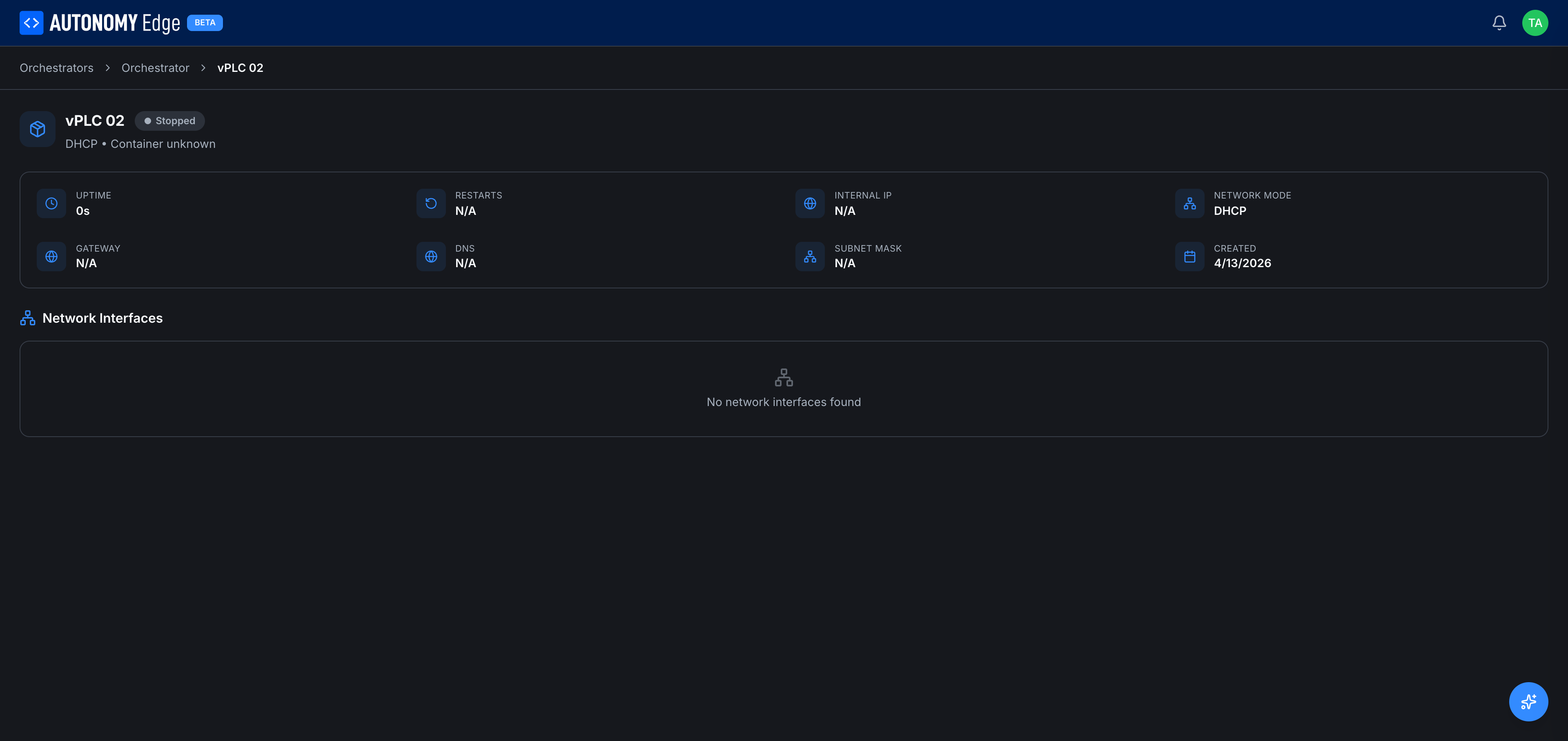
- The vPLC detail page shows
Internal IP: N/A,Uptime: 0s.
1. Is the parent Device Active?
Open the Device that owns this vPLC. Status badge should be Active (or Connected), with non-zero CPU / memory / uptime.
If the Device is Inactive, the agent can't act on your start request. Fix the Device first → Device not connecting.
2. Re-issue the Start command
From the Device's vPLCs tab, click the vPLC card's 3-dot menu → Start. Wait 10–30 seconds for the agent to pull the image (if it's a first run) and start the container.
If the status stays Stopped, look at the vPLC detail page for any error tooltip.
3. Check device-side logs
On the edge device, list the runtime containers:
bashdocker ps -a | grep openplc-runtime
That matches on the image name and shows every vPLC container on this Device. To pick out one vPLC, note that its container is named by the vPLC's id, not by the name you gave it: the id is the last segment of the URL of that vPLC's page in the web app.
bashdocker ps -a | grep <vplc-id>
The container ID lets you look at logs:
bashdocker logs --tail 100 <container-id>
Common log entries:
Cannot allocate memory: the host doesn't have enough RAM. Stop other vPLCs or upgrade hardware.address already in use: the MAC or IP you assigned conflicts with another device. Free it up or switch to DHCP + auto MAC.parent device 'eth0' is in use: another container or process is monopolizing the interface. Restart networking on the host.permission denied on /dev/ttyUSB0: a serial port you tried to pass through isn't accessible to Docker.
4. Network configuration issues
Static-IP vPLCs are picky. Verify:
- The IP is in the subnet of the physical port you chose.
- The IP isn't already assigned to another device.
- The subnet mask matches your LAN.
- The gateway is reachable from the LAN.
Try toggling the NIC to DHCP and starting the container. If DHCP works but static fails, the issue is in your static config.
5. MAC conflicts
Two devices with the same MAC on one LAN confuse switches. If you set a manual MAC, confirm it's unique by sniffing your LAN (arp -a from another host, or tcpdump -i eth0 ether host <mac>).
For most cases, switching to MAC mode: Auto is the fast fix.
6. Image pull failure
The agent pulls ghcr.io/autonomy-logic/openplc-runtime:<version> on first run. Pull failures show up as manifest unknown or network errors in the agent log.
Test manually on the device:
bashdocker pull ghcr.io/autonomy-logic/openplc-runtime:latest
If that fails, your edge device can't reach the registry. Check firewall and DNS.
7. Container restart loop
If RESTARTS keeps climbing on the vPLC detail page, the container is crashing repeatedly. Look at logs, there's an error preventing the runtime from initializing.
Common causes:
- A required serial device disconnected.
- Corrupted volume from a previous run. Delete the vPLC and recreate it.
- Runtime version mismatch with a stale persistent volume.
8. After everything else: recreate the vPLC
If you can't make the vPLC start, the fastest fix is often to delete it and recreate it:
- 3-dot menu → Delete.
- Confirm.
- Click + New vPLC and follow Creating a vPLC.
Any project you'd deployed to it will need to be deployed again from the editor.
Where to next
- Check the parent Device → Device not connecting.
- Network config reference → Network modes.
- Recreate the vPLC → Creating a vPLC.
On This Page