Settings → Privacy
The Privacy section controls how others interact with you and which email notifications you receive.
To open it, click your avatar in the top-right, choose Settings, then Privacy in the left side-nav.
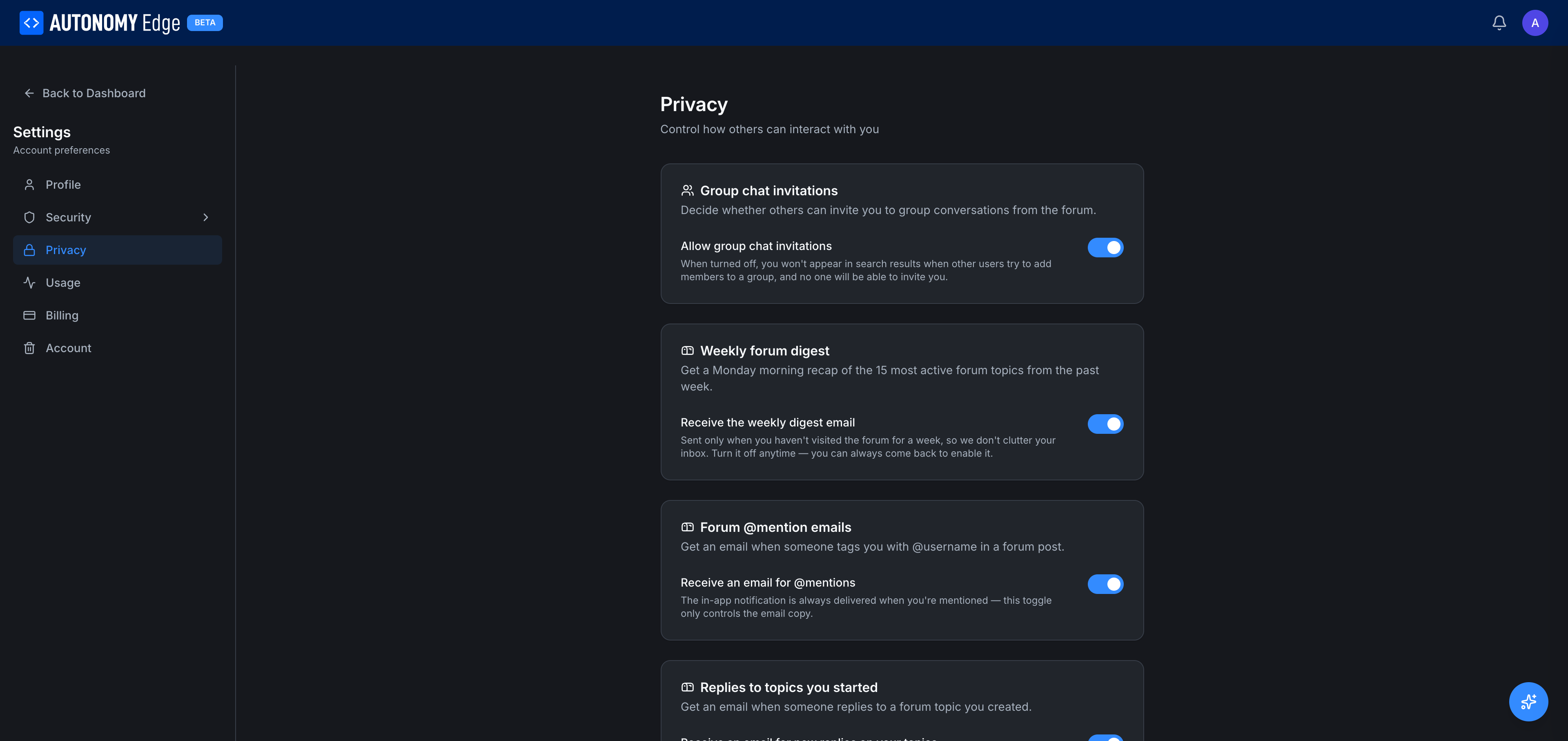
Group chat invitations
Allow group chat invitations (toggle, default on)
- On: anyone on the platform can include you in a new group chat in the forum messaging UI.
- Off: when turned off, you don't appear in search results when someone tries to add members to a group chat. New group chats can't include you. Existing group chats are unaffected.
1:1 DMs are always allowed.
Weekly forum digest
Receive the weekly digest email (toggle, default on)
A Monday-morning email summary of the 15 most active forum topics from the past week.
- Sent only when you haven't visited the forum recently (so it doesn't clutter your inbox when you're already engaged).
- Turn it off anytime; you can always come back to the forum directly.
Forum @mention emails
Receive an email for @mentions (toggle, default on)
When someone tags you with @username in a forum post.
The in-app notification is always delivered. This toggle controls the email copy only.
Replies to topics you started
Receive an email for new replies on your topics (toggle, default on)
When somebody posts in a thread you started, you get an email.
The first reply triggers an email; subsequent replies are batched into a single follow-up email per topic per day, to avoid flooding your inbox on busy threads.
Replies to your posts
Receive an email when someone directly replies to your post (toggle, default on)
Distinct from the above, this fires for replies to any of your posts, not just the topic opener.
Direct message notifications
Email me about new direct messages (toggle, default on)
When you receive a new DM and you haven't opened the platform recently. If you're actively online, no email is sent (the in-app notification is enough).
Marketing emails
Receive product updates and announcements (toggle, default on)
Occasional emails about new features, platform changes, community events. Lower frequency than the forum digest.
You can also unsubscribe from these emails via the link in the email footer; that link toggles this setting.
Activity visibility
A future-friendly section for fine-tuning what shows up on your public profile. Today this is limited; expect more toggles over time.
Saving
Most toggles save instantly with no separate Save button. If any section has an explicit Save button, it's right below the section.
Where to next
- Set your initial email preferences → click the toggles above.
- Manage DM behavior in detail → Messaging.
- Unsubscribe from all emails at once → check the unsubscribe page or click Unsubscribe in any platform email.
On This Page