Reading and searching
Once you're past the forum home, most of your time is spent on board pages (a category's topic list) and thread pages (a single conversation).
Board pages
Click any category card on the forum home to open its board page.
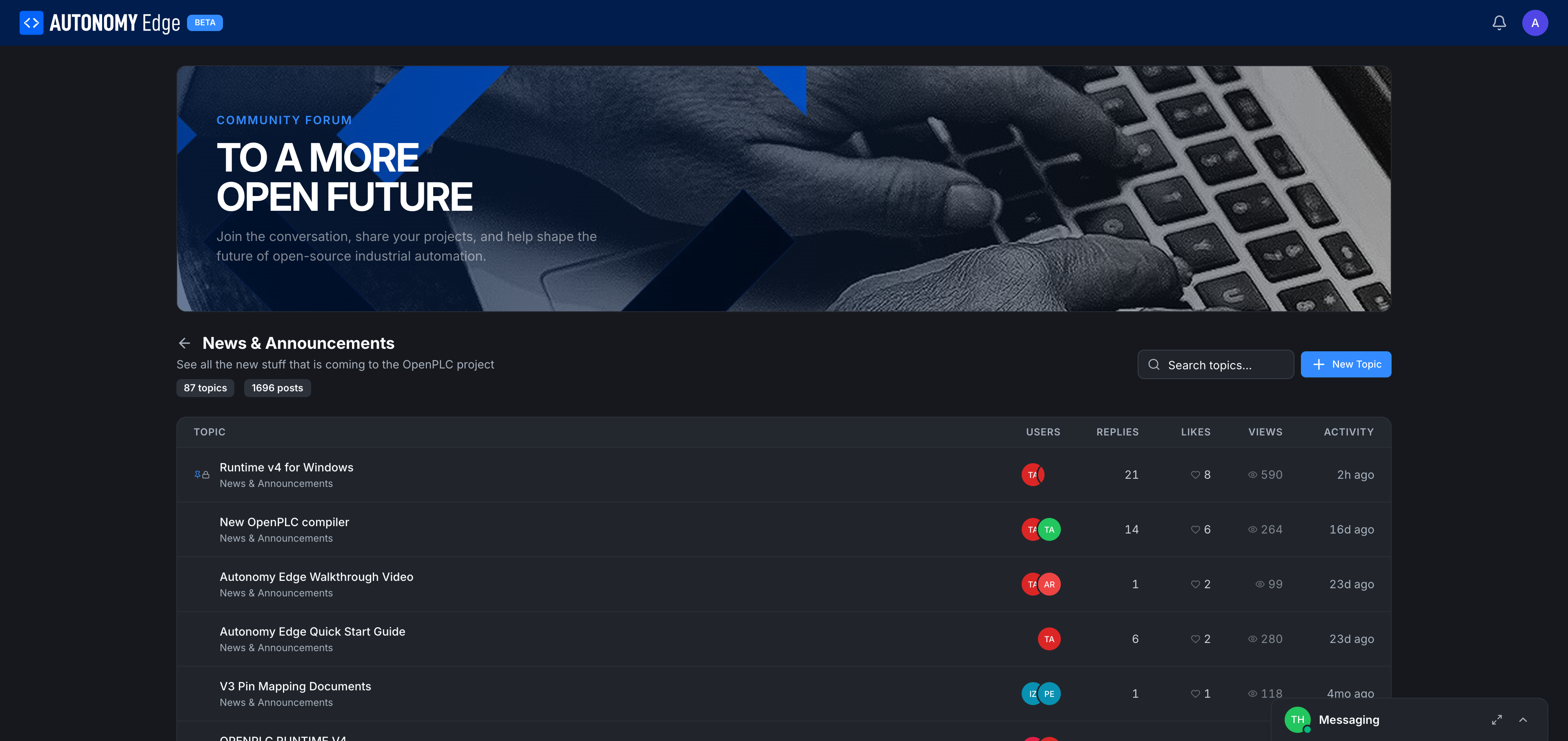
Header. A back arrow takes you to the forum home. The category name and description sit above the topic table. Stats, 87 topics · 1696 posts, are right under the title.
Toolbar. Same actions you saw on the home page, scoped to this board:
- Search topics: searches within this category.
- + New Topic: pre-fills the category when you start a new topic.
Topic table. Each row is a topic. Columns:
| Column | Notes |
|---|---|
| TOPIC | Title (link), with badges for Pinned 📌 and Locked 🔒 if applicable. The category name appears below the title. |
| USERS | A few avatars of recent participants. |
| REPLIES | Comment count. |
| LIKES | Likes count. |
| VIEWS | Eye icon and view count. |
| ACTIVITY | Relative time of the last activity (e.g. "5h ago", "16d ago"). |
Click any topic to open the thread.
Sorting topics
Sort options live on the forum home and reuse the same sort across boards:
- Latest: by most recent activity (default).
- Trending: current platform-scored "hotness".
- Most Replied: highest reply count first.
- Most Viewed: highest view count first.
Thread pages
Click a topic title from a board to open the thread.
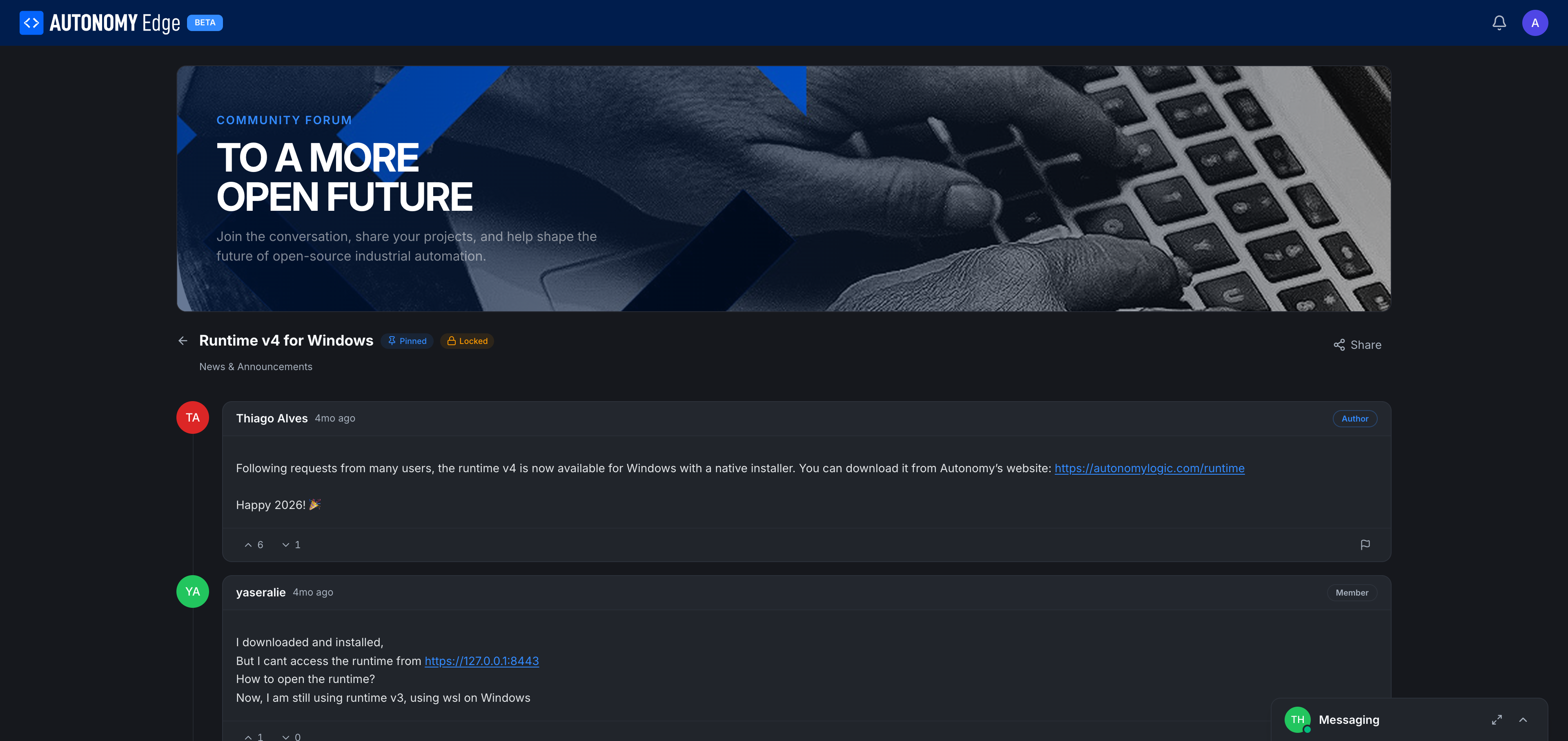
Header. Back arrow → board. Topic title with badges. Category name below the title. Share button on the right (copy a direct URL to clipboard).
Posts. Each post in the thread is a card:
- Author avatar.
- Author display name (clickable → profile).
- Role badge: Author for the original poster, Member for normal users, Moderator / Admin for platform staff.
- Relative timestamp.
- Post body, with markdown rendering: links, code blocks, lists, images.
- Up/down vote counters at the bottom of the post.
- Flag icon to report the post (see Moderation).
- A reply/quote action on hover.
The original post is always at the top. Replies follow chronologically below it. Long threads paginate.
Searching
Search exists at three levels:
- Site-wide (header search on the dashboard), searches projects and users, not forum content.
- Forum home: full-text search across every topic in every category.
- Board: full-text search within one category.
Search results show topic titles with a snippet of matching text and the category badge.
Bookmarks and unread state
- Read state is tracked per topic. A topic with new posts since your last visit shows a small "new" badge.
- The Mark All Read action on the forum home clears the unread state for every topic.
- Per-topic, you can set notification preferences (Watching / Tracking / Normal / Muted) from the topic page's Notifications control once it lands. Today the default is Tracking, you'll see unread badges, you won't get push notifications.
Where to next
- Post your own topic → Posting a topic.
- Reply or react → Replying and reactions.
- Find people, not topics → Members directory.
- Direct message → Messaging.
On This Page